Multilingual
- Use it to publish your site’s content in more than one language, with AI help to translate it.
- In the menu it is under Website > Lingue del sito (Site languages).
- The most common task: open a content item in the second language and press Suggerisci Traduzioni (Suggest translations).
What it is
Module for creating and managing content in multiple languages.
It includes AI-assisted translation, through the translation services configured by the Flò team.
When it is visible
It is visible when the studio manages content aimed at a multilingual audience.
Configuration is located in the Website > Lingue del sito (Site languages) menu. The main language can always be set; the list of additional languages is unlocked with the Multilingual plan. Saving is reserved to the profile with the highest permissions.
Main sectors
- Real Estate
- Tourism and hospitality
- Enterprise
- Studios with an international audience
Dependencies
Can be linked to:
App language and site languages
These are two different things:
- App language: the language of the Flo interface. Italian and English are available to all users, and each person chooses their own from the profile menu. Error messages arrive in this language too.
- Site languages: the languages of the published content. They are configured under Site languages.
Configuring languages
Open Website > Lingue del sito: the Lingue del sito web (Website languages) page opens.
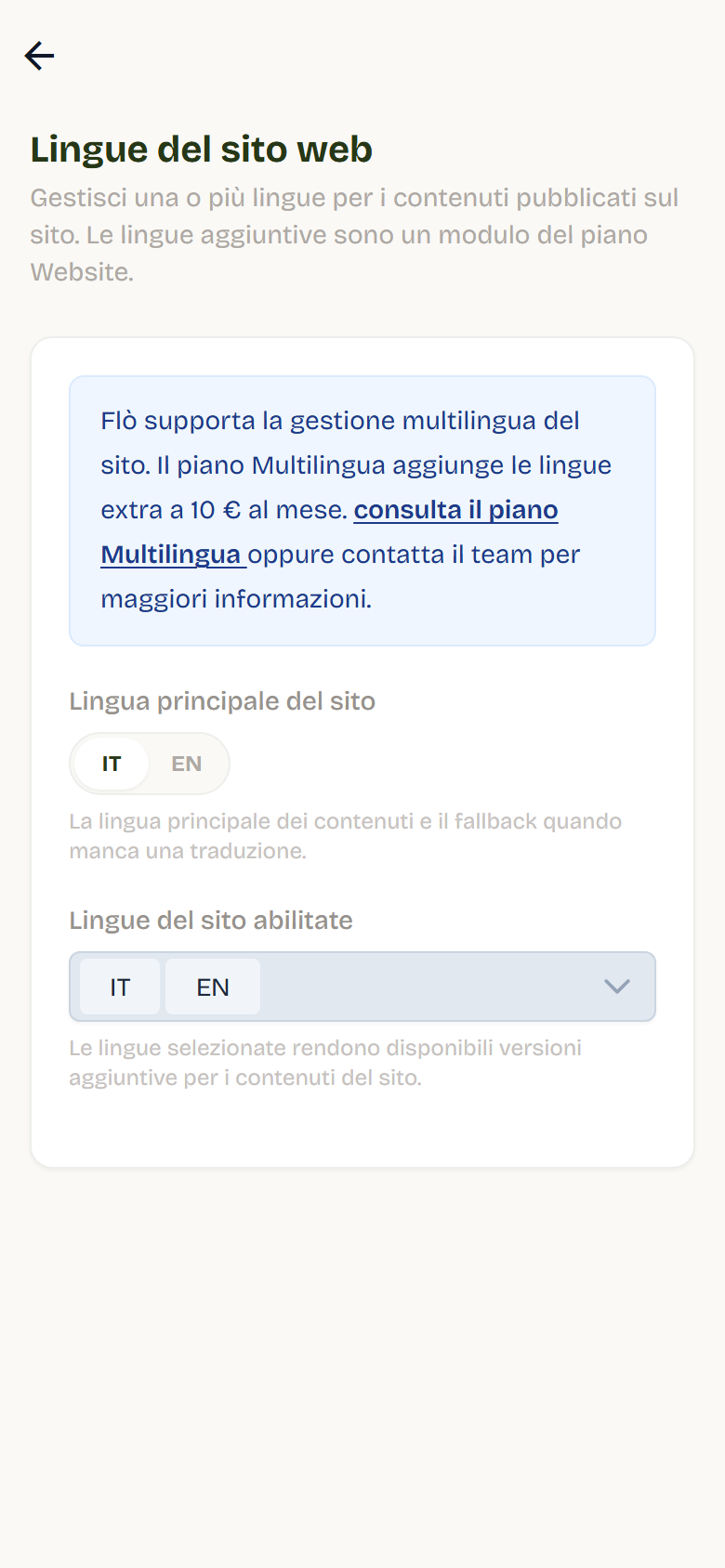
On this page you find:
- Main site language: the language of the content and the fallback when a translation is missing.
- Enabled site languages: the languages for which content can have additional versions.
Rules:
- the main language is always part of the enabled languages;
- the languages available today are Italian and English;
- if you change the main language, content stays visible: Flo realigns translations to the new main language.
How content is translated
Entities with per-language versions (for example Blog, Properties):
- each language has a separate version of the content;
- in the editor and in lists you find the language selector;
- the first version to publish is the one in the main language; then you can create the others;
- each version has its own publication status.
Content with translations (for example Services, Gallery, plans, closures):
- translatable fields are filled in for each language within the same content item;
- if a translation is missing, the site shows the main-language value.
Translatable and locked fields
In the version of a language other than the main one:
- text fields (titles, descriptions, texts) are editable;
- non-translatable fields (numbers, dates, selections) remain read-only and are synced from the main language: next to them you see the lock icon with the explanation;
- shared sections (for example the location of a property) remain managed by the main language; in galleries images are shared, while titles and descriptions can be translated.
The slug is generated automatically for each language; in entities that provide for it, after publication it can no longer be changed.
Translating with AI
In the version in a language other than the main one you can use the Suggest translations button (AI translations):
- Flo collects the text fields from the main-language version.
- Suggested translations preview opens: for each field you see the original text and the suggested translation, with the provider used.
- You can edit the translations before applying them.
- Select Apply translations to bring them back into the form.
Notes:
- fields already translated correctly are grouped and not overwritten;
- if no translation service is available, Flo tells you: ask support to enable it;
- translation consumes the provider quota and has a per-minute request limit.
Per-language publishing
- In entities with per-language versions, each version is published independently: you can have Italian online and English still in draft.
- To create versions in the other languages you must first publish the main-language one.
- In content with translations, publishing stays single: translations are values of the same content item.
Best practices
- Set the main language before uploading content: it is the reference for all translations.
- Translate the main texts first (title, description) and then the details.
- Always re-read AI translations before applying them.
- Publish one language at a time and check the result on the site.
- Use the same tone in all languages: the translated version is part of the same identity.